47 checks · no per-query data costs
SEO Will crawls a site you own, follows every internal link, and checks each page against 47 rules. You get the broken links, the duplicate titles, the orphan pages — sorted so you know what to fix first.
Crawls sites you own. Nothing is sent to a third party.
crawl in progress
depth 2What it checks
Errors cost you traffic today. Warnings will. Notices are worth knowing. Each finding names the page and the exact reason.
Broken internal links, 4xx and 5xx pages, missing titles and H1s, redirect loops, duplicate content, mixed content, pages served over plain HTTP.
Duplicate titles and descriptions, orphan pages with no inbound links, thin content, slow or oversized pages, images with no alt text, missing viewport.
Missing canonicals, absent robots.txt or sitemap, no lang or charset, no HSTS header, crawl depth beyond four clicks, empty anchor text.
Depth, orphan pages and the full link graph — not just a sitemap.
Honours disallow rules and crawl-delay, and tells you what it skipped.
Compare runs to confirm a fix actually landed.
Hand the issue list to a developer, or work through it in a spreadsheet.
How to use it
These are numbered because the order matters — each step depends on the one before it.
Give it a name and the base URL, then set how many pages to crawl and how deep to follow links. Start with 500 pages and a depth of 4 — that covers most sites.
The page updates itself while the crawl works, showing pages found and issues as they appear. Large sites take a few minutes. You can close the tab; it keeps going.
Filter by severity or click a rule to see only pages with that problem. Every finding links straight to the affected page and its inbound links.
The second run tells you whether the fix worked. Health scores from both runs sit side by side in the crawl history.
What you get
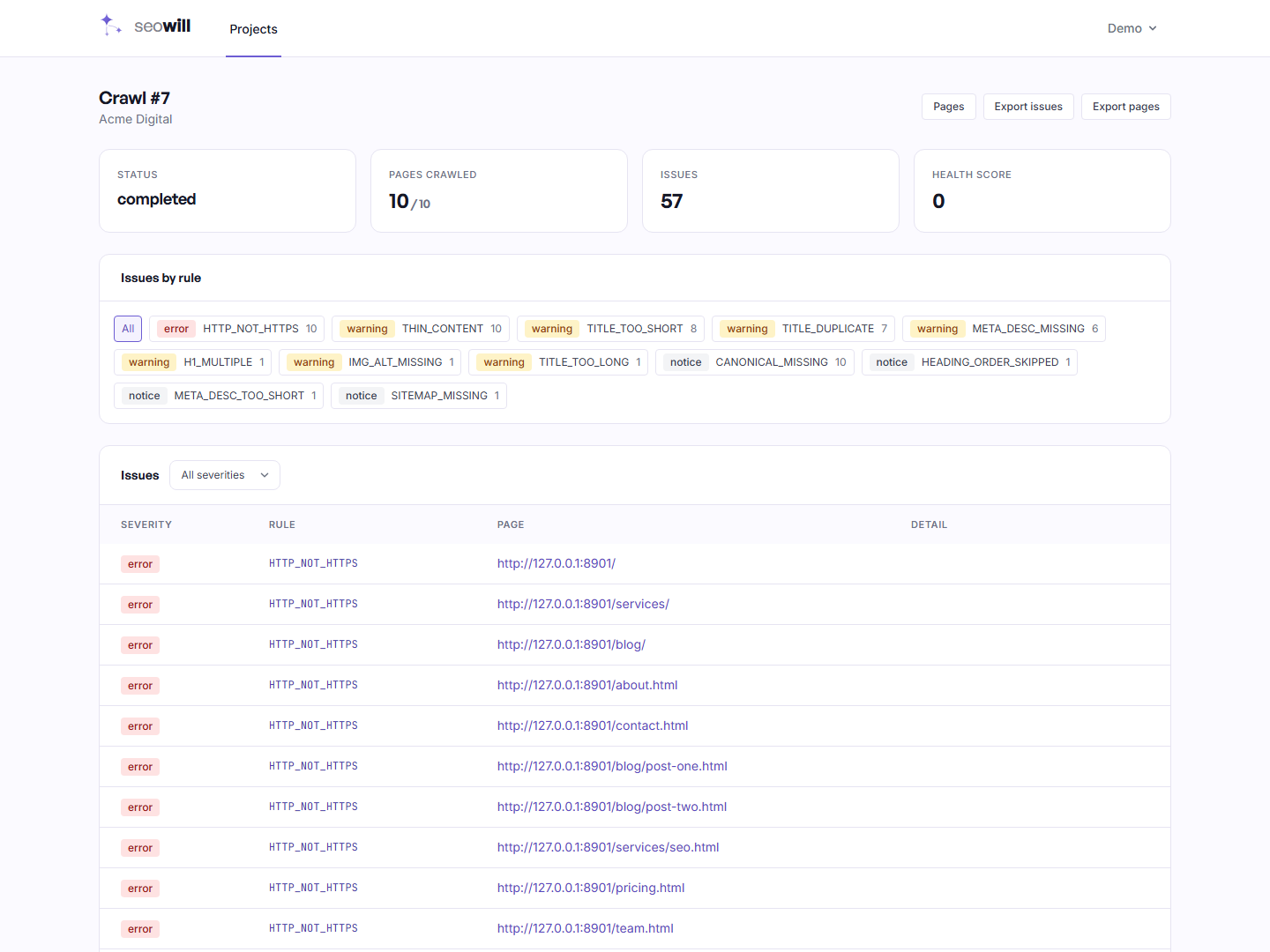
Health score, issue counts and every rule that fired, with counts. Click any rule to filter the list below to just those pages.
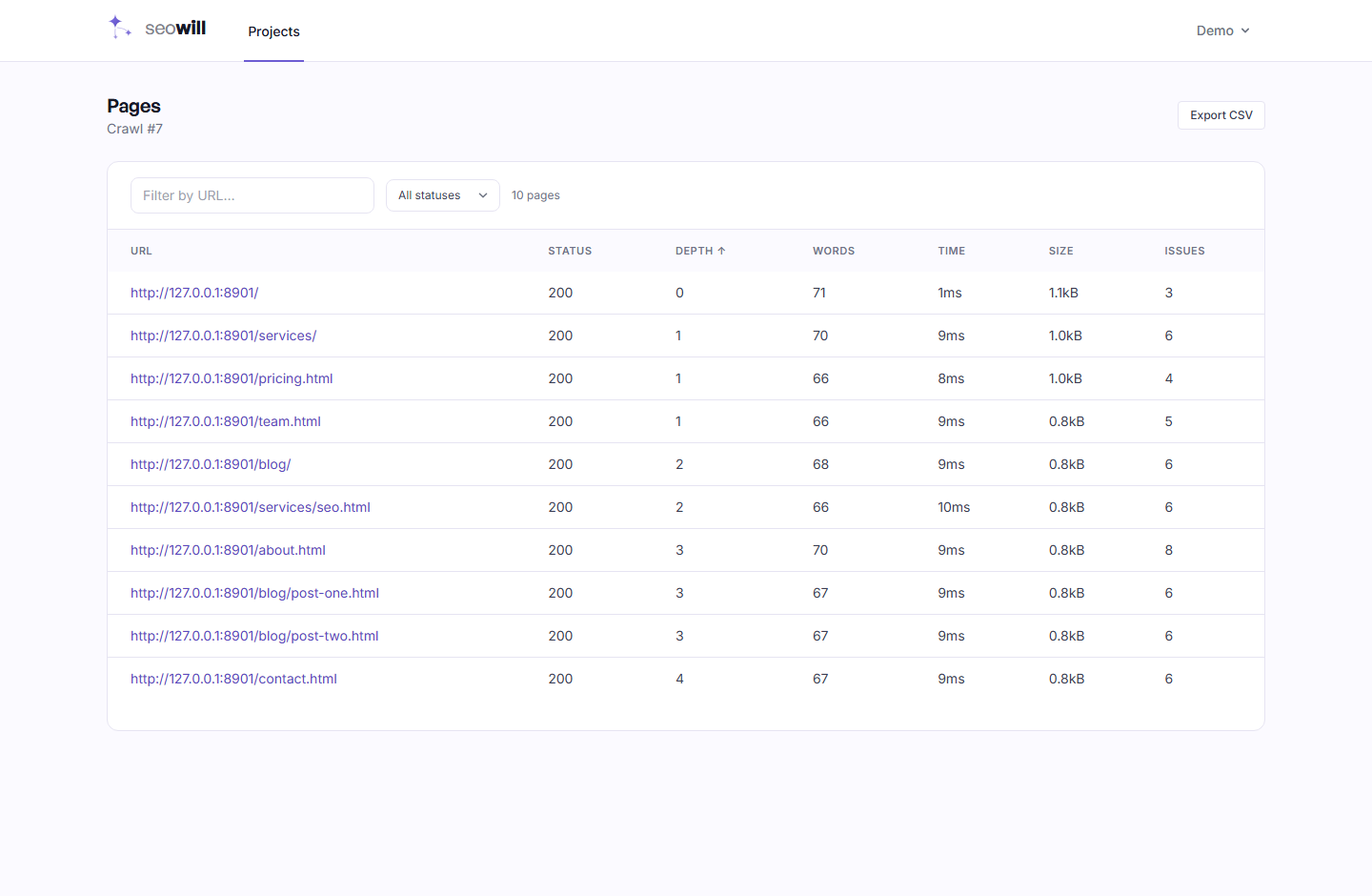
Every page the crawl reached, with status, depth, word count, response time and how many issues it has. Sort by any column, filter by status.
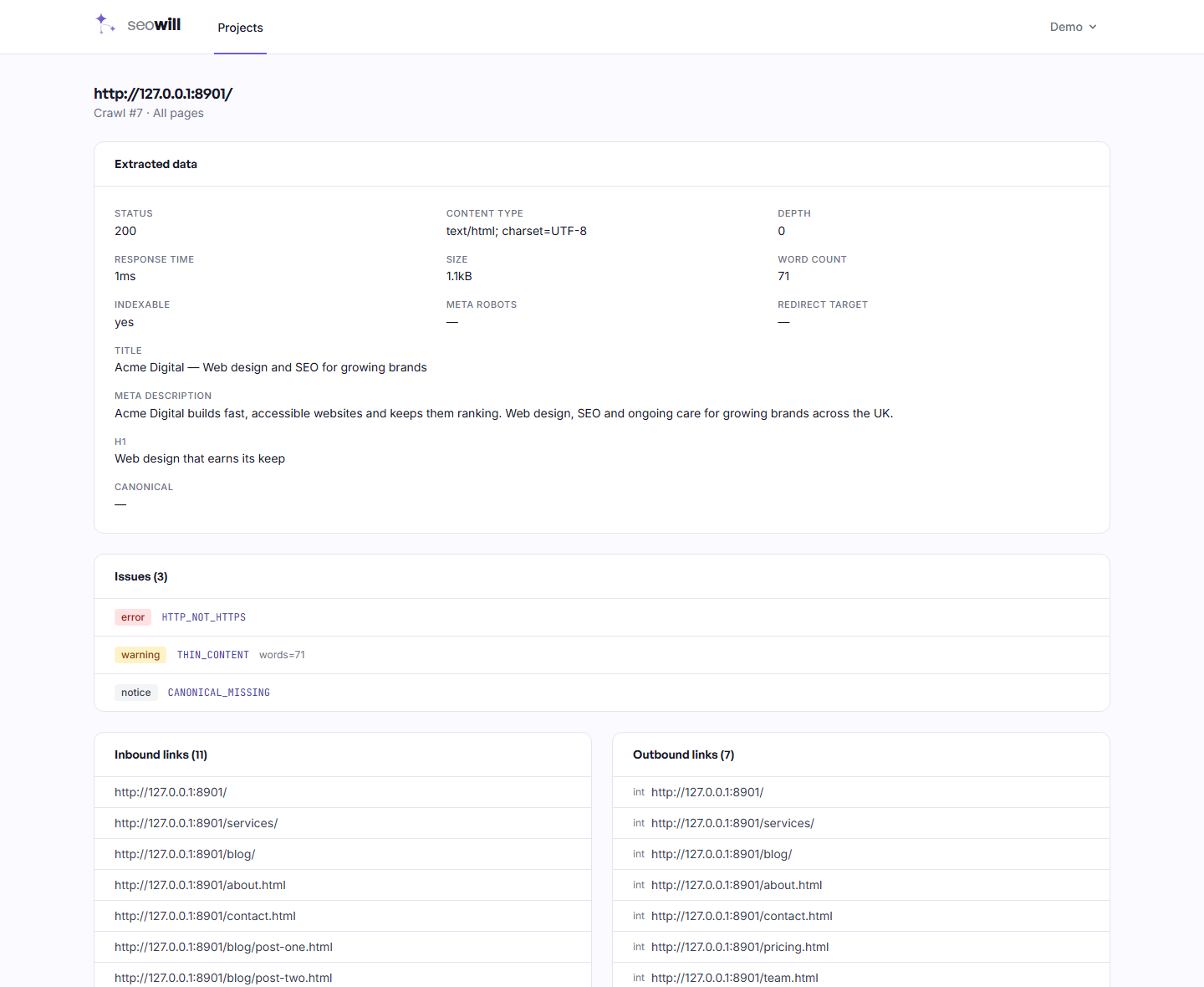
Everything extracted from one page, its issues, and the internal links pointing at it — which is how you find out why a page is orphaned.
FAQ
You should not. The crawler runs several requests at once and has no global rate limit, so pointing it at someone else's site can look like an attack and get the server blocked. Use it on sites you control.
A 500-page site usually finishes in a few minutes. Speed depends on how fast the site responds and whether its robots.txt asks for a crawl delay, which SEO Will honours.
Not yet. It reads the HTML the server returns. On a React or Vue site that renders content in the browser, SEO Will sees the empty shell. Rendering is planned and the crawler is already built to accept it.
Start at 100, subtract weighted issues per page: an error counts three, a warning one, a notice a quarter. On a small site a few errors will push it to zero — with only a handful of pages, there is nothing to average against. Read the issue counts instead.
No. It only sends GET requests, the same as any search engine crawler. It never submits forms, follows no links that log you out, and writes nothing.
Into your own database on your own server. There are no third-party APIs and no per-query costs, which is why the crawl limits are yours to set.
Nothing else in the crawl links to it. Search engines find pages by following links, so an orphan is hard to discover and usually a navigation mistake. Open the page and check its inbound links.
Yes. Crawls run through a queue on your server, and old runs are pruned automatically so the database stays a sensible size.
Add a site, start a crawl, and read the list. Most people find a broken link they did not know about in the first run.
Run your first audit